| 일 | 월 | 화 | 수 | 목 | 금 | 토 |
|---|---|---|---|---|---|---|
| 1 | ||||||
| 2 | 3 | 4 | 5 | 6 | 7 | 8 |
| 9 | 10 | 11 | 12 | 13 | 14 | 15 |
| 16 | 17 | 18 | 19 | 20 | 21 | 22 |
| 23 | 24 | 25 | 26 | 27 | 28 | 29 |
| 30 | 31 |
- union find
- 이진탐색
- Brute Force
- 그래프
- two pointer
- DP
- 스토어드 프로시저
- Stored Procedure
- 다익스트라
- binary search
- Trie
- Two Points
- String
- Hash
- MYSQL
- Dijkstra
- SQL
- Today
- Total
codingfarm
3. Displacement Node 본문
1. 소개
https://docs.blender.org/manual/en/latest/render/shader_nodes/output/material.html

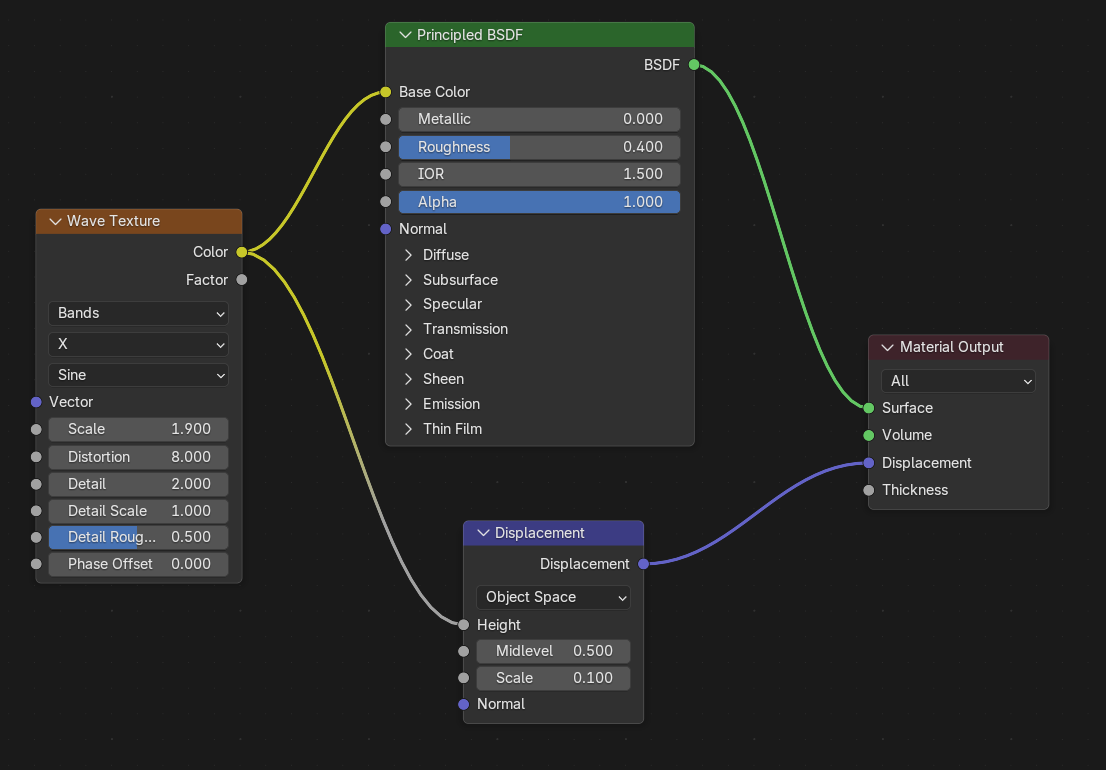
Material Output 노드의 Displacement 슬롯에 전달되는 노드이다.
일반적으로 Texture / Noise / Height Map 등의 노드들이 Displacement 노드와 연결된 뒤, Output과 연결된다.
표면에서의 빛과의 상호작용에만 관여하는 Surface, Volume 슬롯과 달리, Displacement는 geometry가 변형되는 방향과 강도등을 결정하며, 이에따른 자연스러운 연출을 위해 Normal 등의 정보를 가공한다.
즉, 모델의 외형에 직접적으로 영향을 주는 노드이다.
2. 사용

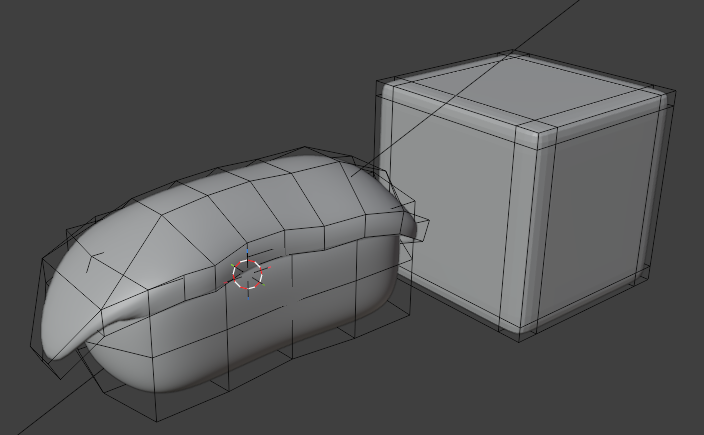
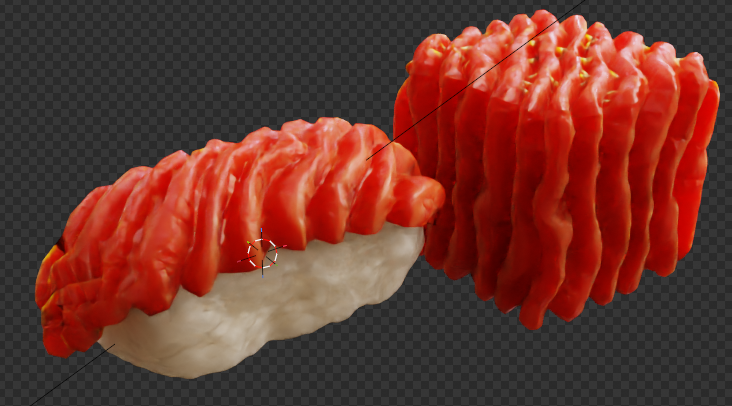
geometry의 좌표를 직접 변형하기 때문에, vertex가 많을수록, 섬세하게 나뉘는것을 볼 수 있다.
그러므로 주로 subdivision 및 shade smooth와 함께 사용된다.
이를통해 표면이 울퉁불퉁한 모델도, 쉐이더만으로 질감을 표현할 수 있다.

3. Material Setting
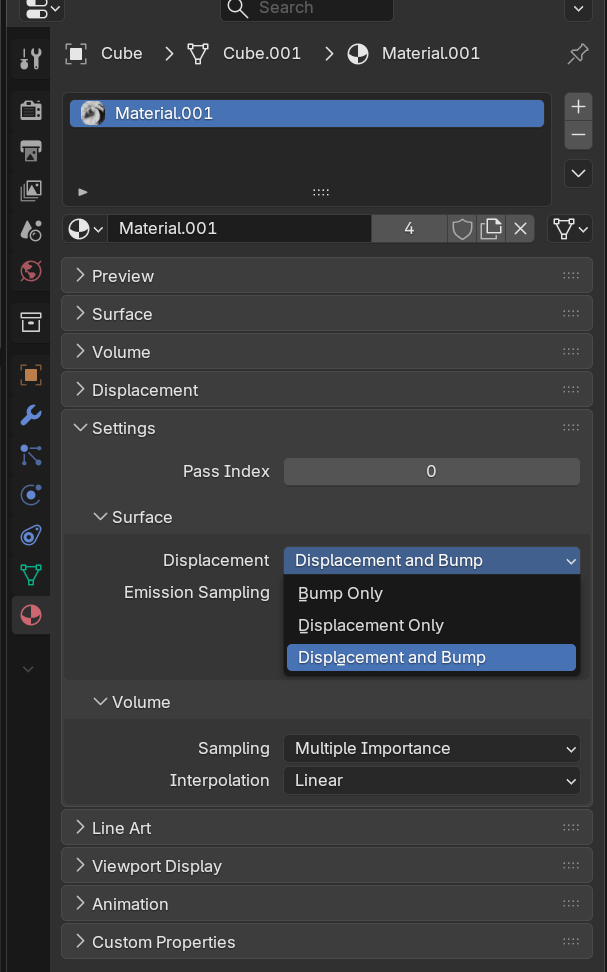
Displacement 효과를 올바르게 적용 위해선, Material Setting을 설정해야한다.
해당 옵션을 통해, Material Output의 Displacement 슬롯을 통해 들어온 정보를 렌더러가 어떻게 해석할지 결정한다.
Setting-Surface 카테고리의 Displacement 항목에서 3가지 옵션을 제공하며, 각 옵션의 적용 결과는 아래와 같다.
( displacement scale 0.01 적용)


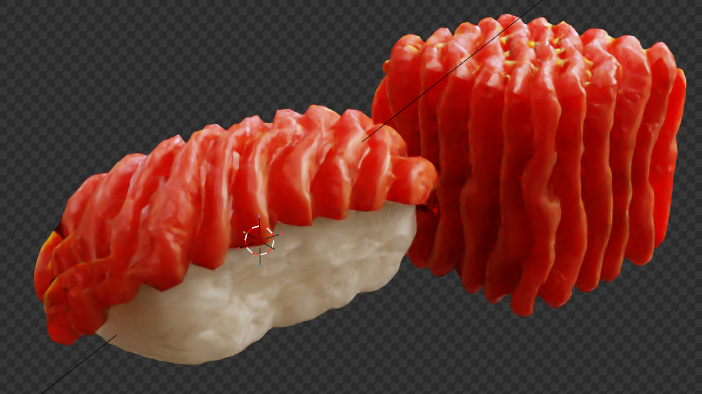
Bump는 실제 지오메트리를 변경시키진 않음을 확인 가능하다.
하지만, 표면의 normal 을 변경시키므로, 굴곡 효과를 줄 수 있다.
그러므로 표면의 vertex가 세밀하게 나뉘어진 모델이 아니라면, output material의 displacement는 비워두고, shader nodes에 normal 데이터를 전달하는것이 유용할 수 있다.
4. Render Engine과 Displacement
https://docs.blender.org/manual/en/latest/render/eevee/limitations/limitations.html
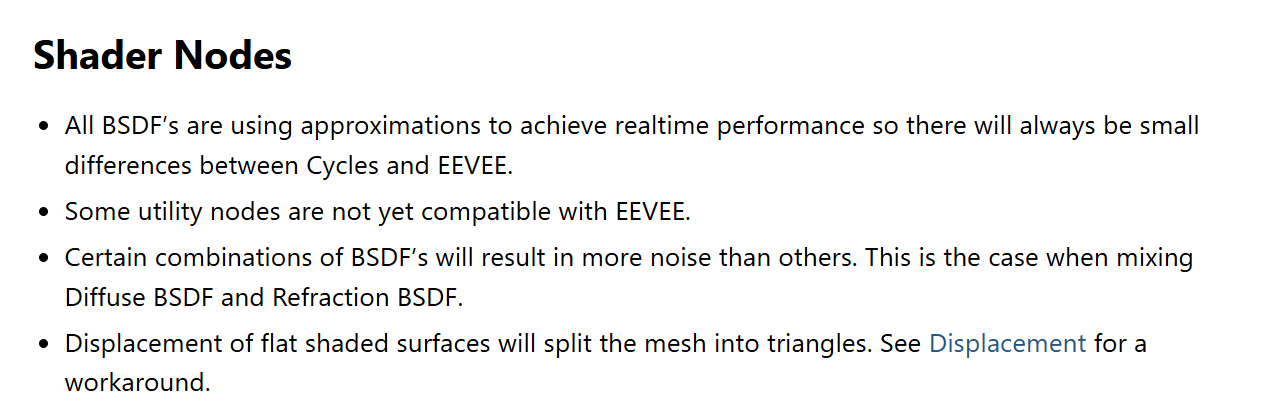
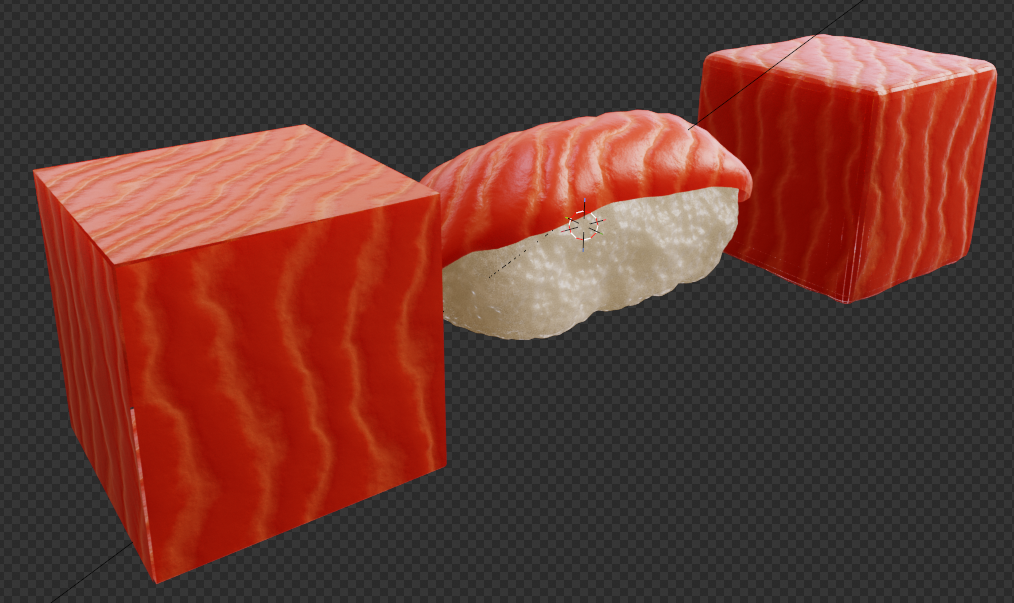
공식문서에 의하면, EEVEE 렌더 환경에서는 flat shaded 가 적용된 표면이 삼각형으로 분리될 수 있음을 알려준다.
실제로 아래와 같이 vertex가 충분히 나뉘어지지 않은 모델에 한해서는, displacement 결과가 부정확하게 렌더링 됨이 확인된다.

'blender3d > Shader Nodes' 카테고리의 다른 글
| 4. Principled BSDF (0) | 2026.06.10 |
|---|---|
| 2. Material Output 노드 (0) | 2026.06.09 |
| 1. 소개 (0) | 2026.06.09 |